Made for real lessons
Explainer videos, notebooks, trading cards, scavenger hunts, checklists, comics and times tables: each app solves a concrete classroom task.
Apps for iPhone, iPad and Mac
Discover apps for iPad, iPhone, and Mac that make your daily school routine easier and help your students get creative. Explain concepts clearly, design your own learning materials, and try new things with tools that save time and create “wow” moments. These include affordable alternatives to expensive apps—with no subscription required.
Explainer videos, notebooks, trading cards, scavenger hunts, checklists, comics and times tables: each app solves a concrete classroom task.
We hate subscriptions! Pay once and you can use all the Pro features forever.
Die Apps erfüllen höchste Standards und sind für den Einsatz in Schulen konzipiert: Die Daten bleiben lokal auf den Geräten und wir können sie nie sehen. Wir verzichten ganz auf Analyse und Werbung.
A printable information sheet with QR code per app: platforms, purchase model, data storage and Privacy Policy at a glance.
3 apps in the studio
Filter by device, school version or purchase model. Every app is shown once, with all of its versions.
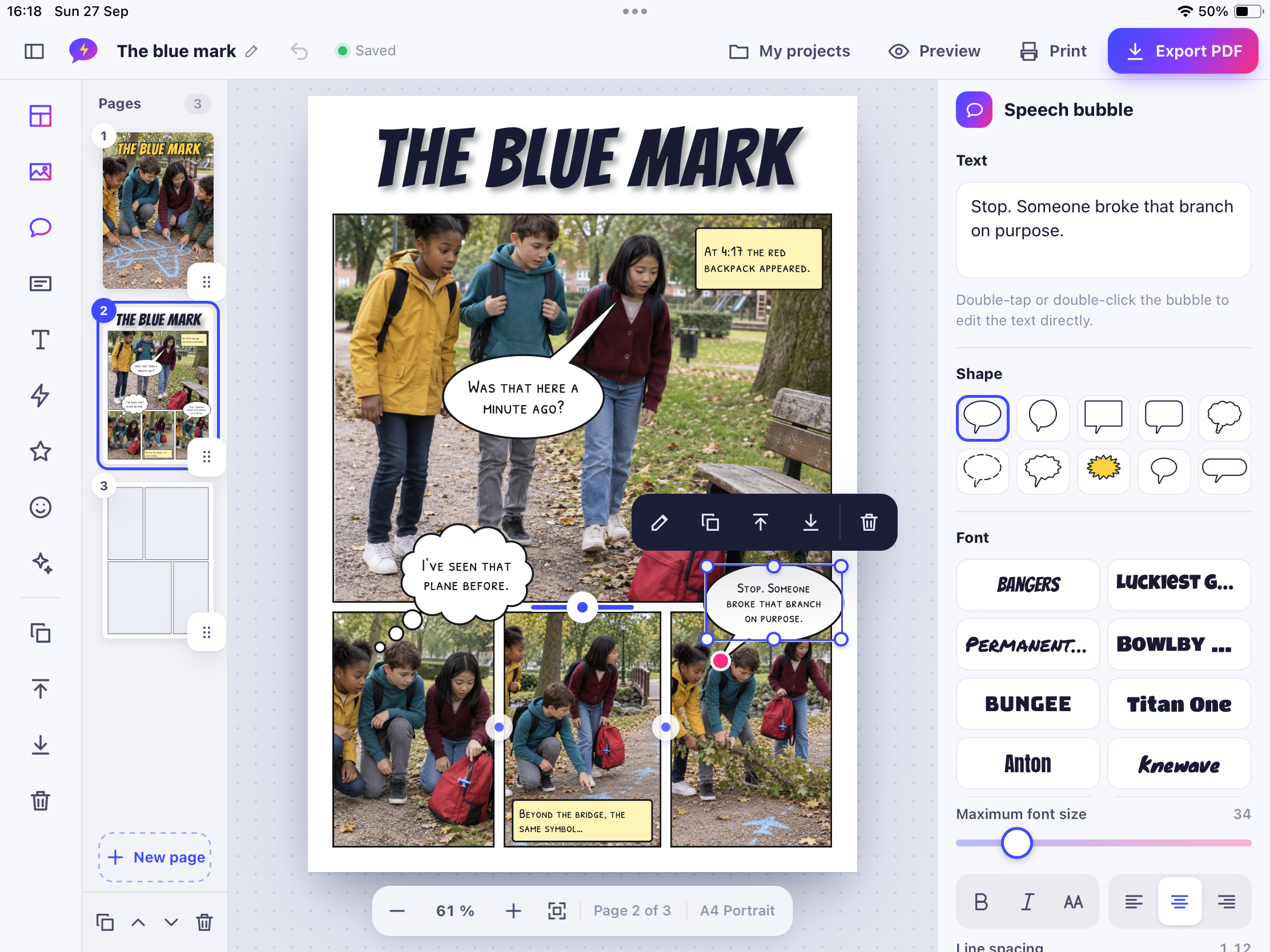

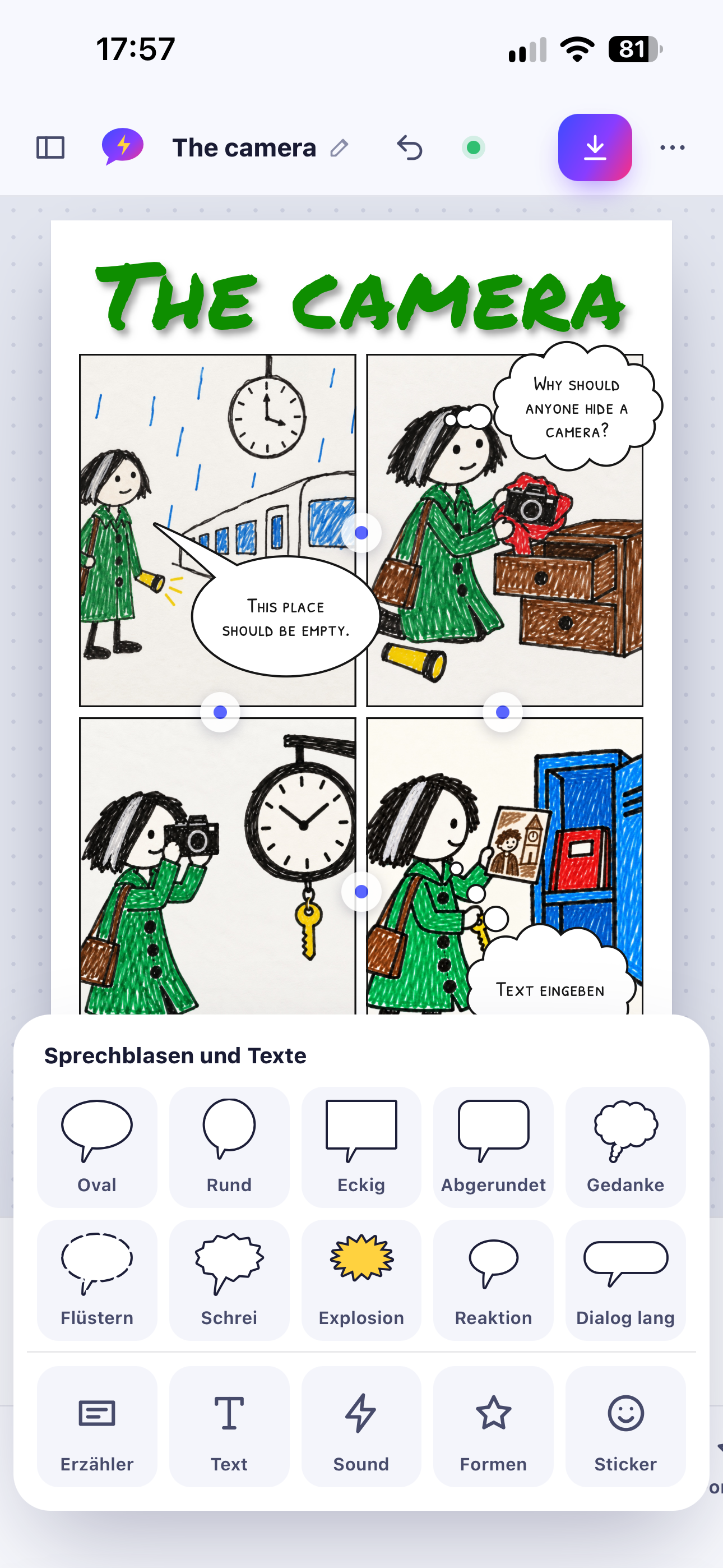
StoryPanels: Comic Maker
Turn photos and drawings into a comic story – and finish with a multi-page PDF.
StoryPanels: Comic Maker Standard & schools
Arrange photos and drawings in panels, add speech bubbles and effects, and export a multi-page PDF.
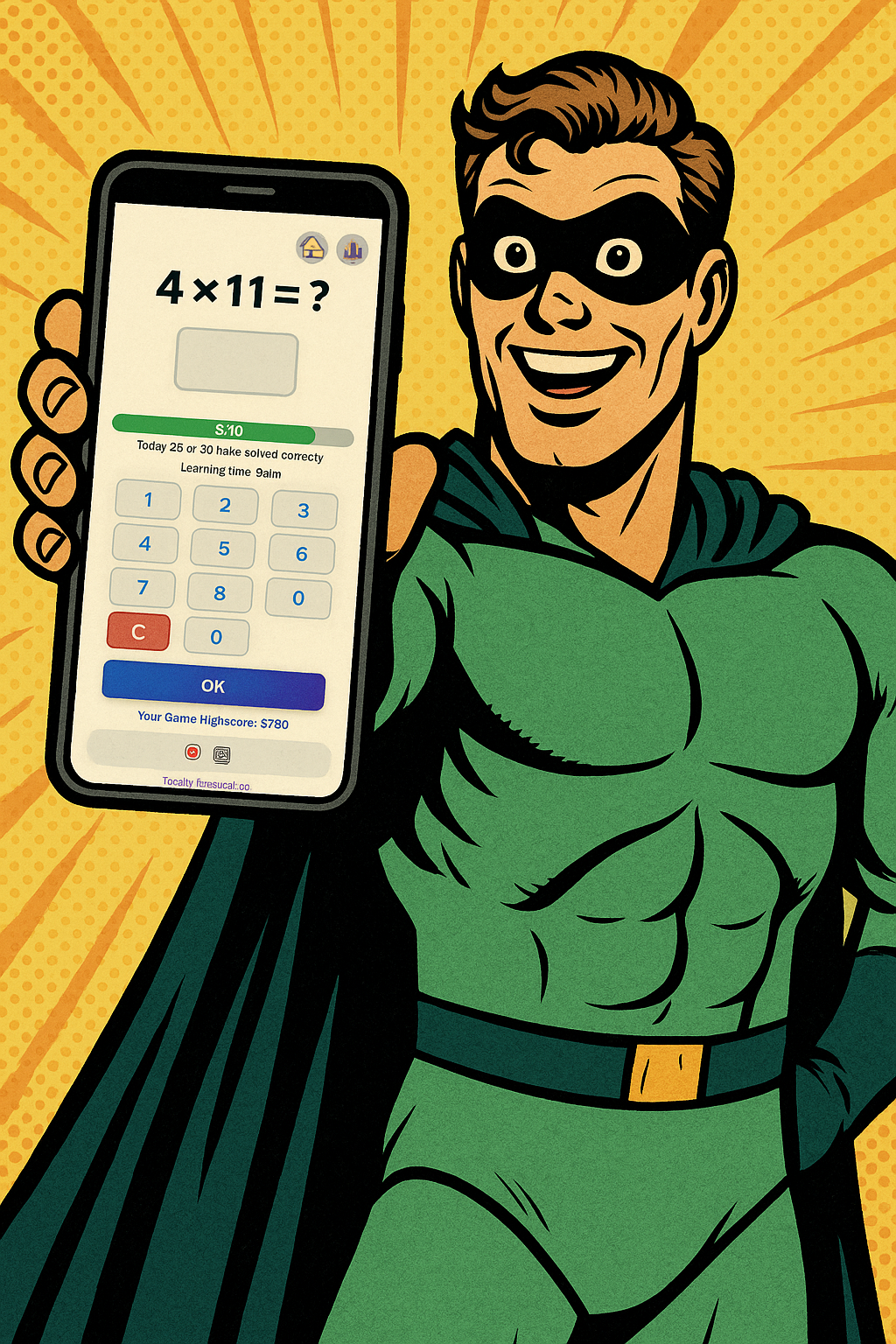

1x1 Superhero
Children practise the times tables with adaptive repetition and immediate feedback.
1x1 Superhero Standard & schools
Practise multiplication with adaptive repetition, immediate feedback and motivating rewards. Includes a classroom mode.
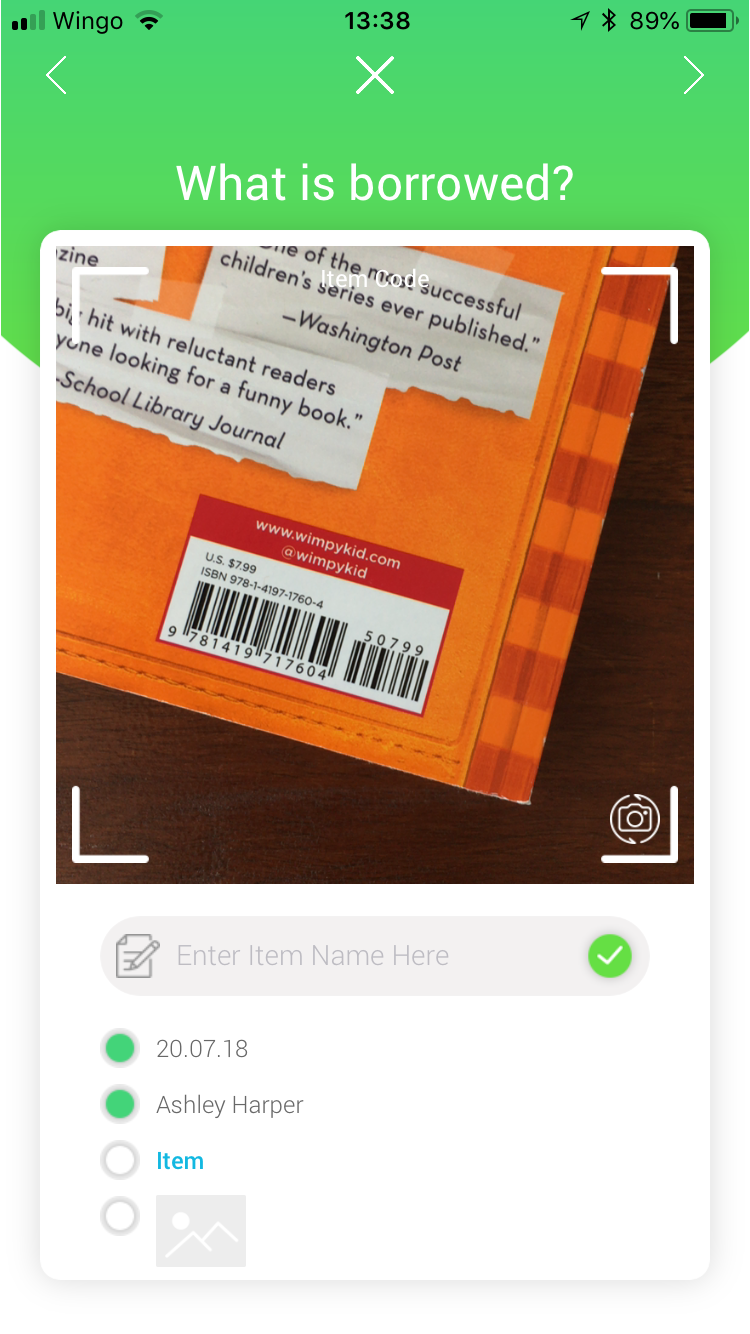

QR Library
Manage lent items by scanning or photographing items and borrowers.
QR Library Standard
Schools & school IT
Licences for a whole class, distributed centrally: here is what your school IT needs to know – with honest information per app.
Your school buys app licences in Apple School Manager under “Apps and Books”. Whether an app is available there and at what price is shown in Apple School Manager.
Licences are assigned to devices or Managed Apple Accounts through your device management (MDM). Unassigned licences can be reassigned.
Licence distribution and special management features (such as Shared iPad or managed configuration) are separate things. We only list such features where they are confirmed for an app.
Apple School Manager User Guide ↗Sign in to Apple School Manager ↗
StoryPanels: Comic MakerOne-time purchase, no in-app purchases
1x1 SuperheroPaid (purchase on the App Store)
No separate EDU app is confirmed for most apps yet. Upcoming: Explainer Flow Edu – complete from the start, without in-app purchases.
Pick an app and get a printable sheet with QR code, platforms, purchase model, data storage and open points.
Concrete classroom ideas that work with the respective app.
Learning goal: Learners structure a story into scenes and write concise dialogue.
In small groups, learners photograph four to six scenes of their story. They arrange the photos in panels, add speech bubbles and effects and export the comic as a multi-page PDF to present.

Ursin Tanner
I'm Ursin Tanner – teacher, app and web developer, trainer, blogger, educational author, and educational technology specialist. I'm passionate about bringing education and technology together. Combining hands-on classroom experience, creativity, and dedication, I develop intuitive apps that make learning more engaging, enjoyable, and everyday life easier.
Inspired by real experience. Built for real needs. Crafted with care.
All apps are available exclusively in Apple's App Store. Each “View on the App Store” button takes you to the right listing. This website sells nothing itself.
No. Each app shows its purchase model: paid, free, or free with a one-time unlock. If a model is not yet confirmed, we say so. A one-time purchase always applies to that one app – not to the whole catalogue.
Some apps have a separate school version that is complete from the start and has no in-app purchases – ideal for central licensing via Apple School Manager. What exactly differs is listed for each app.
Schools buy licences through Apple School Manager and assign them with their MDM. Volume discounts apply only to apps that participate.
The app is finished or almost finished but not yet in the App Store. As soon as it is available, the App Store button appears here.
The facts row on each app shows offline use, account requirement, GDPR status and where content is stored. Details are in our privacy policy.
Yes, please! Use the contact form with the topic “Suggest a feature”. Suggestions are private, and we read every one.
Contact
Questions, bugs, ideas or a request from your school: we read every message.
Prefer email?