Made for real lessons
Explainer videos, notebooks, trading cards, scavenger hunts, checklists, comics and times tables: each app solves a concrete classroom task.
Apps for iPhone, iPad and Mac
Discover apps for iPad, iPhone, and Mac that make your daily school routine easier and help your students get creative. Explain concepts clearly, design your own learning materials, and try new things with tools that save time and create “wow” moments. These include affordable alternatives to expensive apps—with no subscription required.
Explainer videos, notebooks, trading cards, scavenger hunts, checklists, comics and times tables: each app solves a concrete classroom task.
We hate subscriptions! Pay once and you can use all the Pro features forever.
Die Apps erfüllen höchste Standards und sind für den Einsatz in Schulen konzipiert: Die Daten bleiben lokal auf den Geräten und wir können sie nie sehen. Wir verzichten ganz auf Analyse und Werbung.
A printable information sheet with QR code per app: platforms, purchase model, data storage and Privacy Policy at a glance.
3 apps in the studio
Filter by device, school version or purchase model. Every app is shown once, with all of its versions.

StoryPanels: Comic Maker
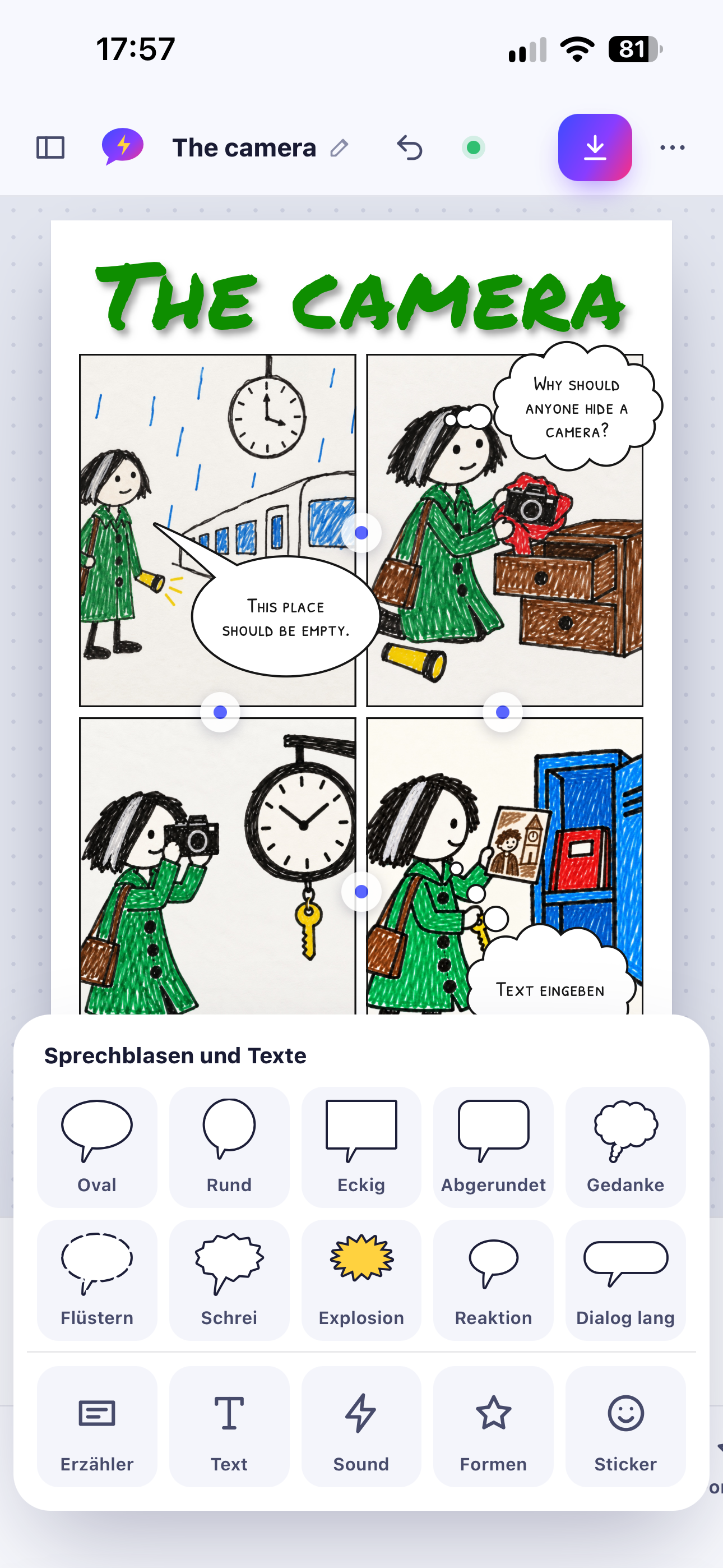
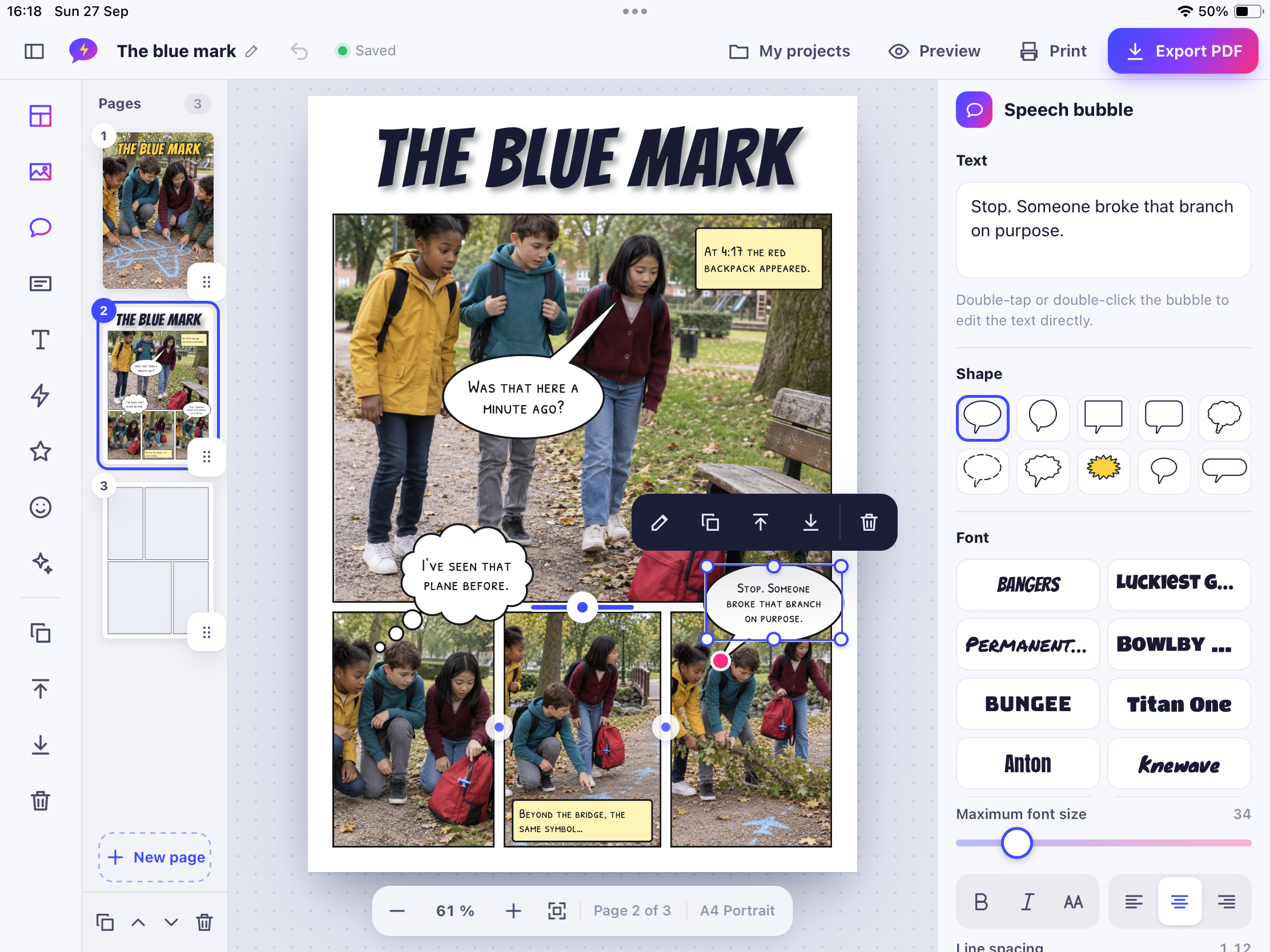
Place photos in comic panels, add speech bubbles, sound words and stickers – then print your comic or save it as a PDF, even as a booklet to fold.
StoryPanels: Comic Maker Standard & schools
Comic Maker turns your photos into a real comic book. Pick a page layout, drop in your photos, add speech bubbles and sound words – and in the end you hold a printed comic in your hands. Made for school projects, family holidays, birthday stories and anything else worth telling.


1x1 Superhero
Kids become heroes, train multiplication and division with smart repetition, and play Hero Jump as a reward. Fun for school and home.
1x1 Superhero Standard & schools
1x1 Superhero turns daily practice into a game. Children pick a hero, start a mission and train multiplication and division. Smart repetition makes sure the right facts come up at the right time, and every success is rewarded with trophies and Hero Jump, a fast arcade game. Practice that feels like play.
In division missions, three correct answers in a row earn an emoji icon. Find a matching pair and you get a fun movement task or a break prize. Learning for the head and the body.
No account, no ads, no tracking and no purchases. Everything works offline and stays on the device. Links and data functions are protected by a parent gate.
iPhone, iPad and Mac, in English, German, French and Spanish.


QR Library
Scan the student card, scan the book, done. QR Library fills in title and author from online catalogs, or lends anything with a single photo. Seconds per loan, not minutes.
QR Library Standard
The operator does not read, store, or analyze any data. Unless the user utilizes cloud storage, the data remains locally on the device. When connecting to online catalogs, the IP address and search query are sent to the providers.
There is no documented confirmation for this app. Offline use or local storage alone is not proof of compliance. This website does not perform its own legal review.
The bell rings, ten students want a book, and you have five minutes. With QR Library that is no problem: scan the student card, scan the book, done. No typing, no lists, no searching through menus.
Scan the ISBN barcode and QR Library looks up title, author and cover in the catalogs of the German National Library, Google Books and Open Library. Only the ISBN is sent, never names or loans.
Board games, calculators, headphones, hand-made books: snap a picture and the item is on loan. For book covers, text recognition on the device suggests the title for you.
Create a QR card for each student once and print it. From then on every loan takes a single scan. Cards fit snugly on one sheet, so you cut once and you are done.
No account, no server, no tracking. Names and photos stay on your device or in your private iCloud. QR Library does not keep a class list: once a student has returned everything, they disappear from the app automatically.
Lend up to 4 items at the same time for free, with every feature included. When you are convinced, unlock unlimited loans with QR Library Pro, a one-time purchase that works on iPhone, iPad and Mac.
Schools & school IT
Licences for a whole class, distributed centrally: here is what your school IT needs to know – with honest information per app.
Your school buys app licences in Apple School Manager under “Apps and Books”. Whether an app is available there and at what price is shown in Apple School Manager.
Licences are assigned to devices or Managed Apple Accounts through your device management (MDM). Unassigned licences can be reassigned.
Licence distribution and special management features (such as Shared iPad or managed configuration) are separate things. We only list such features where they are confirmed for an app.
Apple School Manager User Guide ↗Sign in to Apple School Manager ↗
StoryPanels: Comic MakerOne-time purchase, no in-app purchases
1x1 SuperheroPaid (purchase on the App Store)
No separate EDU app is confirmed for most apps yet. Upcoming: Explainer Flow Edu – complete from the start, without in-app purchases.
Pick an app and get a printable sheet with QR code, platforms, purchase model, data storage and open points.
Concrete classroom ideas that work with the respective app.
Learning goal: Learners structure a story into scenes and write concise dialogue.
In small groups, learners photograph four to six scenes of their story. They arrange the photos in panels, add speech bubbles and effects and export the comic as a multi-page PDF to present.

Ursin Tanner
I'm Ursin Tanner – teacher, app and web developer, trainer, blogger, educational author, and educational technology specialist. I'm passionate about bringing education and technology together. Combining hands-on classroom experience, creativity, and dedication, I develop intuitive apps that make learning more engaging, enjoyable, and everyday life easier.
Inspired by real experience. Built for real needs. Crafted with care.
All apps are available exclusively in Apple's App Store. Each “View on the App Store” button takes you to the right listing. This website sells nothing itself.
No. Each app shows its purchase model: paid, free, or free with a one-time unlock. If a model is not yet confirmed, we say so. A one-time purchase always applies to that one app – not to the whole catalogue.
Some apps have a separate school version that is complete from the start and has no in-app purchases – ideal for central licensing via Apple School Manager. What exactly differs is listed for each app.
Schools buy licences through Apple School Manager and assign them with their MDM. Volume discounts apply only to apps that participate.
The app is finished or almost finished but not yet in the App Store. As soon as it is available, the App Store button appears here.
The facts row on each app shows offline use, account requirement, GDPR status and where content is stored. Details are in our privacy policy.
Yes, please! Use the contact form with the topic “Suggest a feature”. Suggestions are private, and we read every one.
Contact
Questions, bugs, ideas or a request from your school: we read every message.
Prefer email?